|
|
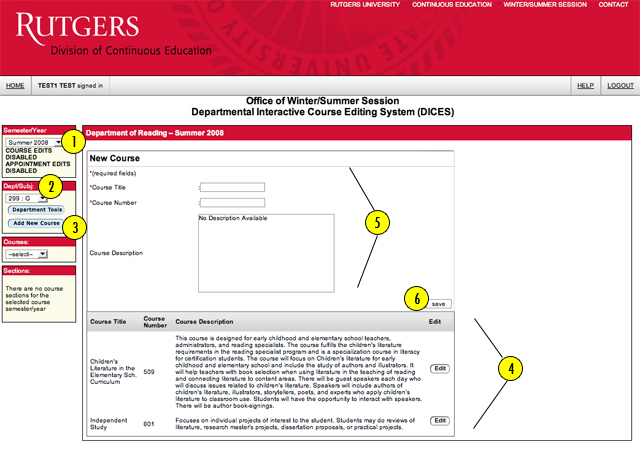
Adding a New Course
- First, select the appropriate term under “SEMESTER/YEAR.”
- Select the "DEPARTMENT/SUBJECT" of the course you would like to add (located on the left side of the page).
- Click on the "ADD NEW COURSE" button located in the “DEPT/SUBJ” section (located on the left side of the page).
- A list of courses should appear at the bottom of the page. Click on "EDIT" to change course title, number or description.
- If the course you would like to add is not listed, enter the required fields under “NEW COURSE.”
- Click on the "SAVE" button. You will then be directed to the section information page.
|
