Division of Continuing Studies
Help Center

System Preferences:

  • Internet Explorer 6.0 + or Firefox 1.5
  • Adobe Flash Player
  • Javascript Enabled
  • High Speed Internet Connection Preferred

How Do I:

  Add new course
Add new section
Add new text books
Assign an instructor to a course
Create and change fees
Create assignments
Create course crosslistings
Create a course description and add a "please note"
Login
Logout
Modify an existing instructor's Appointment Form
Modify a course description and "please note"
Modify existing assignments
Modify existing text books
Modify offering status of a course
Review/Editing a Course/Section
Search by instructor name
Search by instructor SSN
Set up new instructor
Unassign an instructor from a course
View department reports
login
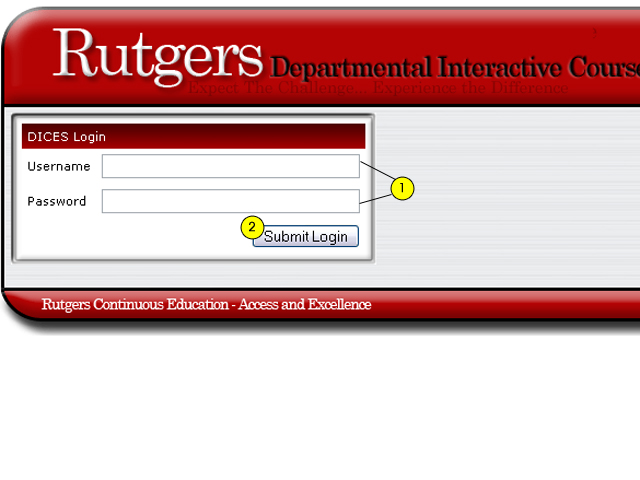
Logging into DICES
  1. Type in your username and password. If you have any questions regarding your username or password, please send an email to: ajcam@rci.rutgers.edu.
  2. Click on "Submit Login."
  3. You will then be directed to the main screen of the application.

Have we answered all of your questions? If not, please submit your question below:

*First Name:
*Last Name:
*E-mail:
*Phone Number:
*Comments
*Required Field